
Myfxbook verification has two parts: Track Record and Trading Privileges. Both badges must show green for an account to count as fully verified. That status unlocks public listing, shareable system links, and Trade Analytics. It confirms the data on the profile is real and that the person showing it actually controls the account. It says nothing about whether that account will keep winning.
TL;DR:
- Full verification requires both the Track Record and Trading Privileges badges to be green, allowing access to public listing and Trade Analytics.
- Properly verifying Trading Privileges involves changing the investor password in MT4 or MT5 to the authorization string provided by Myfxbook, then reverting it after verification.
- Accurate Track Record verification depends on entering the correct broker name, server string, and investor password exactly as listed on the platform, with server accuracy being most critical.
- Verification confirms data authenticity and control, but does not guarantee strategy safety or predict future success, so review drawdowns and trade behavior.
- Verification is a baseline; traders should only take accounts seriously after confirming both badges are green and at least 12 months of live trading data is available.
Table of Contents
- What Do the Myfxbook Verification Badges Mean?
- How Do You Verify Trading Privileges on Myfxbook?
- How Do You Verify Track Record on Myfxbook?
- Why Do EA Publisher Connections Fail Verification?
- What Verification Doesn't Tell You About a Strategy
- How Should Traders Actually Use Verification When Evaluating a System?
- Where to Verify Myfxbook Details Directly
- Sources
What Do the Myfxbook Verification Badges Mean?
The two badges test different things, and mixing them up is the most common source of confusion for traders setting up a profile.
Track Record verification checks whether the numbers on display are real. Myfxbook connects directly to the broker using a read-only investor password and pulls the trading history straight from the source. No manual CSV uploads, no cherry-picked screenshots. This is what keeps a trader from fabricating a fake equity curve.
Trading Privileges verification checks something different: control. It proves the person managing the Myfxbook profile actually has authority over the trading account, not just visibility into someone else's statement.
Together, they answer two separate questions:
- Is this performance data authentic and pulled directly from a broker?
- Does the account owner actually control the trading decisions behind it?
A profile with only one badge is incomplete. According to Myfxbook's own verification documentation, full verification is what enables public listing, shareable links, and access to Trade Analytics. Neither badge, alone or together, certifies that the underlying strategy is safe.
How Do You Verify Trading Privileges on Myfxbook?
This step proves you control the account, and it takes about five minutes once you know where to look.
- Log into Myfxbook and find your account's authorization password under the account settings or verification tab. Copy it exactly.
- Open MT4 or MT5 and go to your account's investor password settings.
- Change the investor password to the authorization string Myfxbook gave you.
- Return to Myfxbook and trigger verification. The system checks for a password match, detecting the change automatically.
- Once verified, revert your investor password back to whatever you had before. Myfxbook only needs to catch the match once.
If changing the investor password feels risky or your broker restricts it, there's a fallback: place a pending order at a price nowhere near the current market, and put the authorization string in the order's comment field. Myfxbook detects the comment, and you cancel the order once verification completes.
Pro Tip: Never touch your Master password for this. The investor password is read-only by design, so it's the only credential that should ever leave your hands, even temporarily.
Do this while markets are open. A closed market can delay how quickly Myfxbook's servers sync and confirm the change.
How Do You Verify Track Record on Myfxbook?
Track Record verification is where most beginners stumble, almost always over one of two fields: the server name or the password type.
- Go to "Add Account" on Myfxbook and select your platform. MT4 and MT5 accounts typically auto update once connected.
- Enter your broker name exactly as your platform lists it.
- Enter the server string precisely as it appears in your terminal, under login or server settings. Even a small mismatch, like a missing "Live" or "Demo" suffix, will cause a failed connection.
- Enter your account number and investor password, not your master password.
- Before submitting, log into your MT4/MT5 terminal with that same investor password to confirm it actually works.
- Submit and wait. Myfxbook typically syncs within minutes when markets are active, and you'll see the Track Record badge switch to verified once the broker data pulls through cleanly.
Getting the server field exactly right matters more than any other step here, since Myfxbook's verification system relies on that string to route the connection to the correct broker infrastructure.
Why Do EA Publisher Connections Fail Verification?
Expert Advisor publisher setups add a layer of complexity that catches even experienced traders off guard.
Broker and server fields sometimes don't auto populate when connecting through an EA publisher account. Check your account settings manually and enter the server string yourself if it's blank or wrong.
MetaTrader also requires "Allow DLL imports" enabled in platform permissions for EA publisher connections to communicate with Myfxbook at all, a setting Myfxbook's own MT5 connection guide flags as commonly missed.
The most frequent verification failures, in order of how often they show up in community troubleshooting threads:
- Selecting the wrong server, often a demo server when the account is live, or vice versa.
- Entering the master password where the investor password belongs.
- Attempting verification while the market is closed, which delays or blocks the sync entirely.
Pro Tip: Before submitting anything, run through a 30-second checklist: account active, server copied character for character, investor password tested in the terminal itself. That single habit resolves most first-attempt failures.
What Verification Doesn't Tell You About a Strategy
Verification confirms two things: the data is real, and the account holder has control. It was built to stop fabricated results from circulating as legitimate track records, and it does that job well.
What it doesn't do is vouch for the strategy itself. A fully verified account can still carry brutal risk. After verification, dig into:
- Equity versus balance drawdown, since a wide gap often signals unrealized losses sitting on the books.
- Trade-level behavior, particularly lot sizing and whether losing trades get averaged down rather than closed.
- Track length. Twelve or more months of live trading tells you far more than a few weeks of demo activity.
- Whether the trader shows one account or several, and whether those accounts are transparently linked.
A high headline gain paired with an extreme drawdown, a missing Trading Privileges badge, or multiple unlinked accounts on display are all reasons to slow down before trusting the numbers. Verification proves authenticity. It never promises future performance.
How Should Traders Actually Use Verification When Evaluating a System?
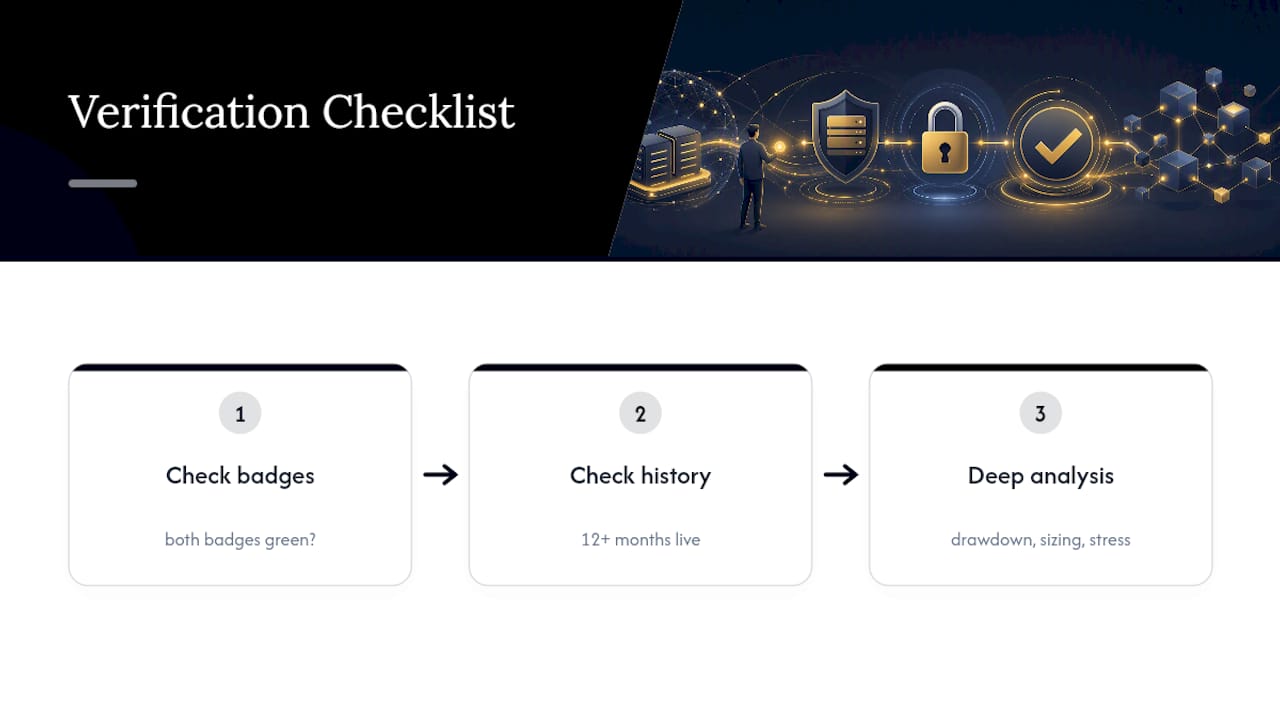
Verification is the floor, not the finish line. If both badges aren't green, stop the evaluation there. If they are, that's your signal to move into the numbers that actually predict risk: drawdown behavior, trade sizing, and how the strategy holds up under stress.
My working standard is simple: both badges verified, plus a minimum of 12 months of live (not demo) data, before I'll take any track record seriously. Anything shorter is a preview, not proof. For a closer look at how drawdown and trade-level behavior separate durable systems from lucky streaks, our breakdown of Sonic AI's live track record walks through exactly what to check next.
— Paulo
Where to Verify Myfxbook Details Directly
For the official process, start with Myfxbook's own verification knowledge base and its general FAQ, which covers account security and support contacts. Traders hitting platform-specific snags, especially on Mac, should check the community troubleshooting thread for real-world fixes.
This article is general information, not a substitute for advice from a qualified financial advisor. Consult a qualified financial professional about your own circumstances before acting on anything here.