
To join Sonic AI and start auto-copying its gold (XAUUSD) strategy, you create an account, connect an MT5 account to COPYX, fund it to the recommended minimum, and activate the copy. Then you verify live results before increasing your position size. The whole process runs through the Sonic AI Gold Copy Trading platform and typically takes under an hour of active setup time.
The order matters. Skipping verification before funding, or funding before confirming your MT5 credentials work, is where most delays happen.
- Sign up through the Sonic AI landing page or a supported partner broker.
- Open or link an MT5 account, then connect it to COPYX.
- Fund the account and enable Sonic AI copying.
- Check the live verified results on a third-party tracker before scaling up.
Pro Tip: Sonic AI reports 18 consecutive winning months of independently tracked performance. Confirm that record on Myfxbook yourself before you commit meaningful capital.
Key Takeaways
Joining Sonic AI means connecting a verified MT5 account to COPYX, funding it, and confirming live third-party performance before scaling exposure.
| Point | Details |
|---|---|
| Start with sign-up and KYC | Complete identity verification first since incomplete documents cause most delays. |
| MT5 credentials matter | Keep your server, login, and password ready before connecting to COPYX. |
| Verify before funding | Check Sonic AI's Myfxbook record for win rate and drawdown before depositing capital. |
| Set risk limits early | Define position sizing and stop-copy thresholds before activation, not after a loss. |
| Sonic AI fits a focused approach | It offers a single gold-only strategy with 18+ months of independently tracked results via COPYX. |
This article is general information, not a substitute for advice from a qualified financial advisor. Consult a qualified financial professional about your own circumstances before acting on anything here.
Table of Contents
- Prerequisites Checklist Before You Join Sonic AI
- Step-by-Step Join Process: From Sign-Up to Active Copying
- Funding Requirements and How Amplification Affects Your Exposure
- How to Verify Sonic AI's Performance Before You Scale
- Risk Management Rules for Copying an Algorithmic Gold Strategy
- What COPYX Actually Costs Beyond Profit-Sharing
- Why Simpler Onboarding Beats Feature-Heavy Platforms
- Ready to Connect Your MT5 Account and Start Copying
- Sources
Prerequisites Checklist Before You Join Sonic AI
A few things speed up enrollment considerably, and having them ready before you start prevents the account from sitting in a pending state.
Most brokers connected to Sonic AI's copy flow require standard KYC documents: a government-issued ID and a proof of address dated within the last three months. Processing usually finishes within a day once documents are uploaded correctly, though bank verification can take longer depending on the broker.
You'll also need an MT5 account, since MT5 remains the standard execution platform most copy-trading engines connect to. MT5 is available on desktop, mobile, and web, and your broker issues a server name, login number, and password once your account is approved. Keep these three details somewhere secure. You'll enter them directly into COPYX during the linking step.
On the funding side, expect card payments, bank wire, and select e-wallets as common deposit routes. Card deposits post almost instantly; wires can take one to three business days.
Before connecting COPYX, check that your broker account supports the amplification tier you want and that your default risk setting matches your comfort level, not a preset the platform assumes for you.
- Government ID and recent proof of address
- MT5 login, password, and server details
- A funded deposit method (card, wire, or e-wallet)
- COPYX permissions confirmed on your broker account
Step-by-Step Join Process: From Sign-Up to Active Copying
Start at the Sonic AI landing page or the verified results page rather than a generic broker signup. This ensures your account gets flagged correctly for the gold copy strategy from the outset.
- Create your account and complete KYC. Enter your details, upload your ID and proof of address, and wait for approval. Most verifications clear within 24 hours; incomplete documents are the top cause of delays.
- Access MT5 and retrieve your credentials. Download the MT5 app or use the web terminal, then log in with the server, login number, and password your broker emails you. If login fails, double check the server name. It's the most common typo at this stage.
- Connect MT5 to COPYX. Open the linking flow inside COPYX and enter your MT5 credentials. This mirrors the approach SignalPro documents for its own copy engine: connect broker credentials once, then let the system auto-execute copied trades going forward.
- Enable Sonic AI on your dashboard. Once connected, select Sonic AI from the available strategies list and confirm activation. The dashboard should show a status change to "active" within minutes.
- Confirm trades are mirroring. Watch your account for the first copied trade to appear. If nothing populates within a trading session, recheck your COPYX permissions before assuming something is broken.
Common connection errors usually trace back to one of three things: an expired MT5 password, insufficient account permissions on the broker side, or a mismatched server region. Each of the MT5 setup instructions walk through fixes for all three.
Pro Tip: Log into MT5 directly once after receiving your credentials, before connecting COPYX. Confirming the login works on its own isolates whether a future connection error is a COPYX issue or an MT5 issue.
Funding Requirements and How Amplification Affects Your Exposure
Deposits typically move through card, bank wire, or e-wallet channels. Card payments tend to clear the fastest, often within minutes, while wires can take a few business days depending on your bank. The deposit guide breaks down which methods your specific broker supports.
There's no universal minimum deposit that applies to every broker connected to Sonic AI, but a realistic starting point is enough capital to absorb normal XAUUSD volatility without triggering margin calls on small pullbacks. Gold moves in dollar increments that can outsize a thin account fast.
Amplification, where available through your broker, increases the effective size of every copied trade relative to your deposit. That means the same win rate produces larger swings in both directions. A broker offering amplification tiers will usually let you select your multiplier separately from your base deposit, so treat that setting as a risk decision, not just a funding one.
Profit-sharing applies to net trading gains rather than as a flat subscription fee. It's calculated on your account's copied performance and shown transparently on your COPYX dashboard, so you can see exactly what's deducted and when.
- Card deposits: usually near instant
- Bank wire: one to three business days typical
- Amplification: increases exposure per trade, not just deposit size
- Profit share: calculated on net gains, visible per statement cycle
How to Verify Sonic AI's Performance Before You Scale
Don't fund an account based on marketing claims alone. Third-party verification is the accepted standard for validating any automated strategy's live track record, and Sonic AI publishes its results on Myfxbook for exactly this reason.
- Open the Myfxbook verification tied to Sonic AI's live account and review the equity curve, not just the headline win rate.
- Check maximum drawdown against your own risk tolerance. A high win rate paired with a large drawdown tells a different story than the summary stats suggest.
- Set a monitoring cadence. Weekly checks are usually enough once you're comfortable; daily checks make sense in the first month.
- Turn on alerts through your broker or COPYX dashboard for drawdown thresholds you set yourself.
- If performance shifts outside your comfort range, you can pause the copy, reduce position size, or stop entirely. Pausing halts new trades but existing open positions remain live until closed, so decide in advance how you want those handled.
Risk Management Rules for Copying an Algorithmic Gold Strategy
Gold can move fast, especially around economic data releases, which widens spreads and increases slippage risk on copied trades. Treat position sizing as a percentage of account balance rather than a fixed lot size, and set a stop-copy threshold before you ever activate the strategy, not after a losing streak.
- Cap risk per trade to a small percentage of total account balance
- Set a maximum drawdown level that automatically pauses copying
- Expect wider spreads during high-volatility gold sessions
- Keep trade statements for tax recordkeeping, since rules on trading income vary by country
Pro Tip: Review the risk overview before your first deposit, not after your first drawdown. Rules set in advance are far easier to follow than rules written in reaction to a loss.
What COPYX Actually Costs Beyond Profit-Sharing
Profit-sharing gets most of the attention, but it isn't the only cost tied to running a copy account. Spreads and commissions charged by your connected broker apply to every trade COPYX executes, regardless of whether that trade came from Sonic AI or your own manual entry. These are baked into the broker's pricing, not COPYX's, so they vary depending on which broker you connect.
Some brokers charge overnight swap fees on positions held past the daily rollover, which matters for gold trades that stay open across sessions. Check your broker's swap schedule for XAUUSD specifically, since it can differ meaningfully from other instruments.
There's typically no separate subscription fee just to run COPYX itself. The cost structure is built around the trading activity it generates: spreads, occasional swaps, and the profit share on net gains. Withdrawal fees, if any, come from your broker's payment processor rather than from COPYX or Sonic AI directly, so timing and cost depend on which method you used to deposit.
Reading your account statement monthly is the simplest way to catch any fee you didn't expect. Everything, including profit-share deductions, should appear itemized on your COPYX dashboard rather than buried in fine print.
Why Simpler Onboarding Beats Feature-Heavy Platforms

Most guides to copy trading spend too much time explaining strategy theory and not enough time telling you which button to click first. That's backward. The investors who succeed with a service like Sonic AI aren't the ones who understand gold market mechanics best. They're the ones who set up their accounts correctly, verified the track record before funding, and defined their exit rules in advance.
The conventional advice to "diversify across strategies immediately" also misses something practical: understanding one system deeply, watching how it performs across different gold market conditions, teaches you more about risk than spreading small amounts across five untested ones.
If you take one thing from this guide, prioritize verification over speed. A rushed signup that skips checking the Myfxbook record is the single most avoidable mistake in this entire process. Everything else, funding, connecting MT5, adjusting risk settings, is straightforward once that foundation is confirmed.
— Paulo
Ready to Connect Your MT5 Account and Start Copying
Sonic AI gives you a narrower, more testable proposition than most copy-trading options: one instrument, one strategy, and a public track record you can check before depositing a dollar. Instead of piecing together strategy performance from scattered reviews, you get 18 months of tracked results on a single asset, gold, where the team has built its entire focus.
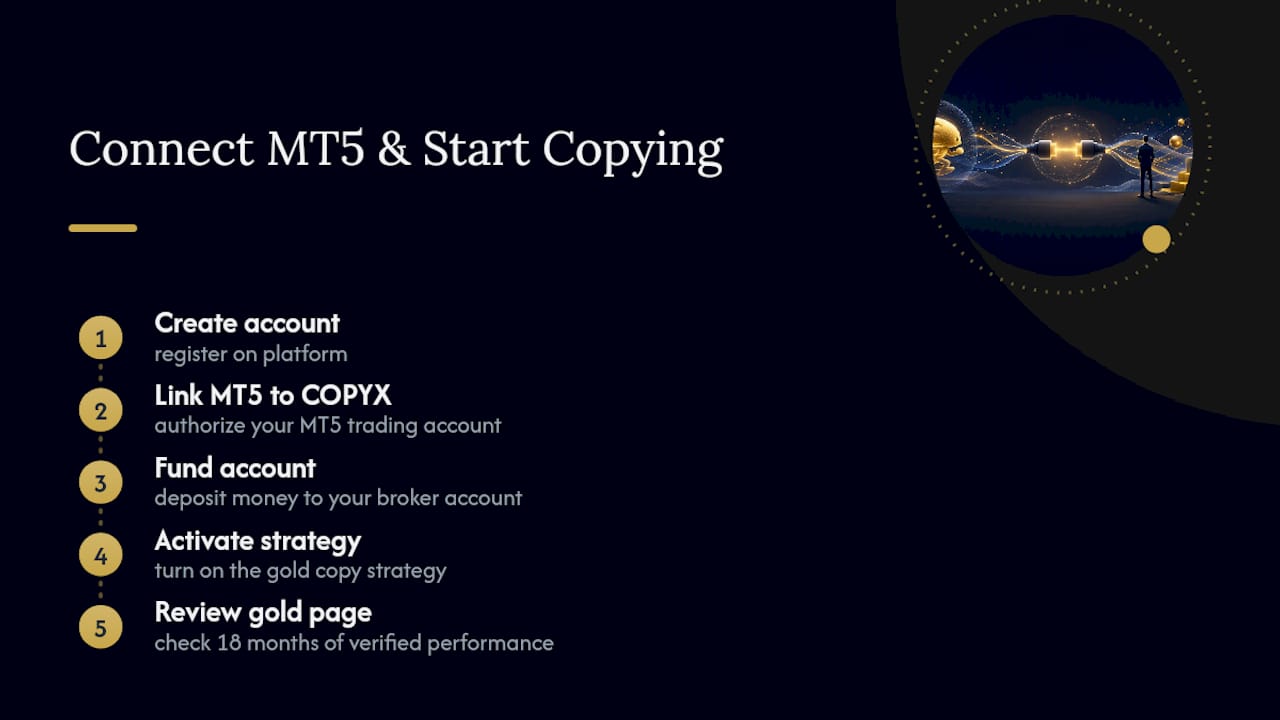
The setup mirrors what this guide already walked through: create your account, link MT5 to COPYX, fund it, and activate the strategy. What's worth doing right now is opening the gold copy trading page and reviewing the current verified performance stats alongside the MT5 connection steps. From there, signing up and linking your account takes less time than most people spend comparing broker fee schedules.
Sources
- Best Copy Trading App 2026 — Auto-Copy Expert Forex, Gold & Crypto Traders | SignalPro
- Sonic AI — Live XAUUSD Trading Results | JetUP
- Regulated FX & CFD Broker | Tag Markets